
How to Activate eSIM on Android
Last updated on August, 8, 2025
| Customers who are planning to visit Hong Kong and Taiwan, please click here to complete real-name registration. |
How to install eSIM
These steps may differ depending on your device and language.
Important Notice
|
|
Make sure you have an eSIM compatible and network-unlocked device. |
|
|
Be connected to a strong WiFi to activate an eSIM successfully. |
|
|
Be noted that the validity begins once you install the eSIM. |
|
|
Please do not remove the eSIM without consulting CS Team. |
01
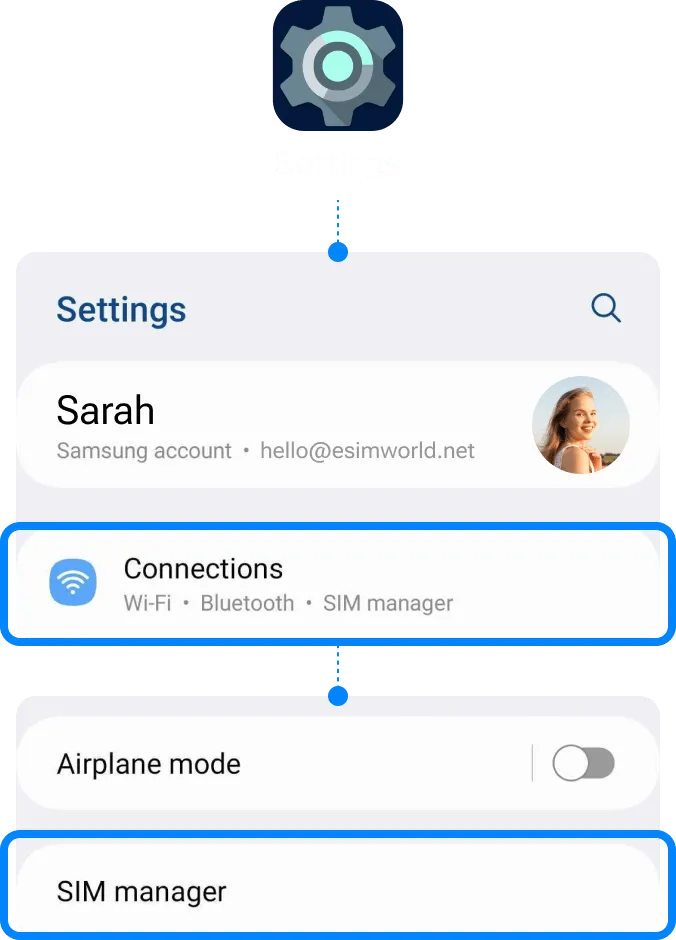
Add eSIM from the device’s Settings.
Go to Settings
| ▸ | Select [Connections] |
| ▸ | Tap [SIM manager] |
02
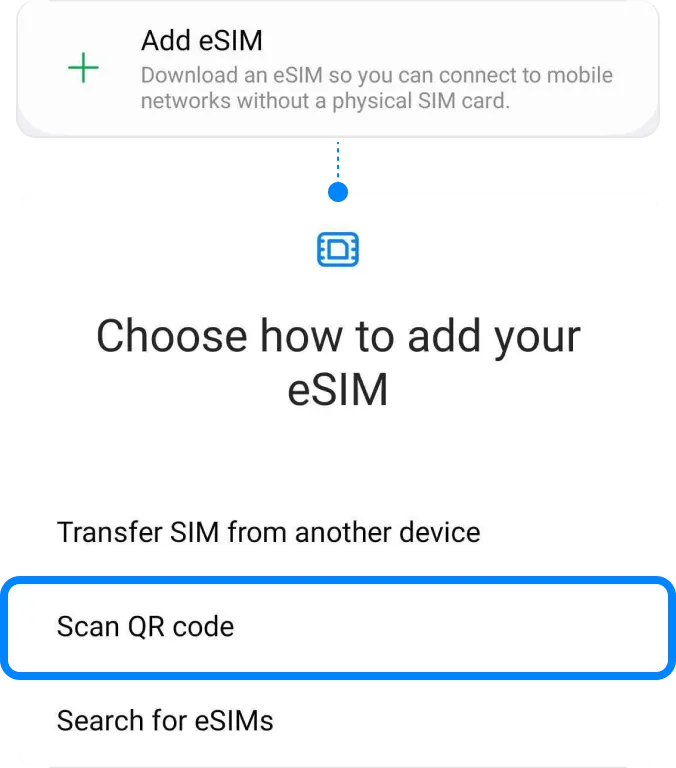
Select [Add eSIM] to install the eSIM.
Select [Add eSIM]
| ▸ | Tap [Scan QR code] |
03
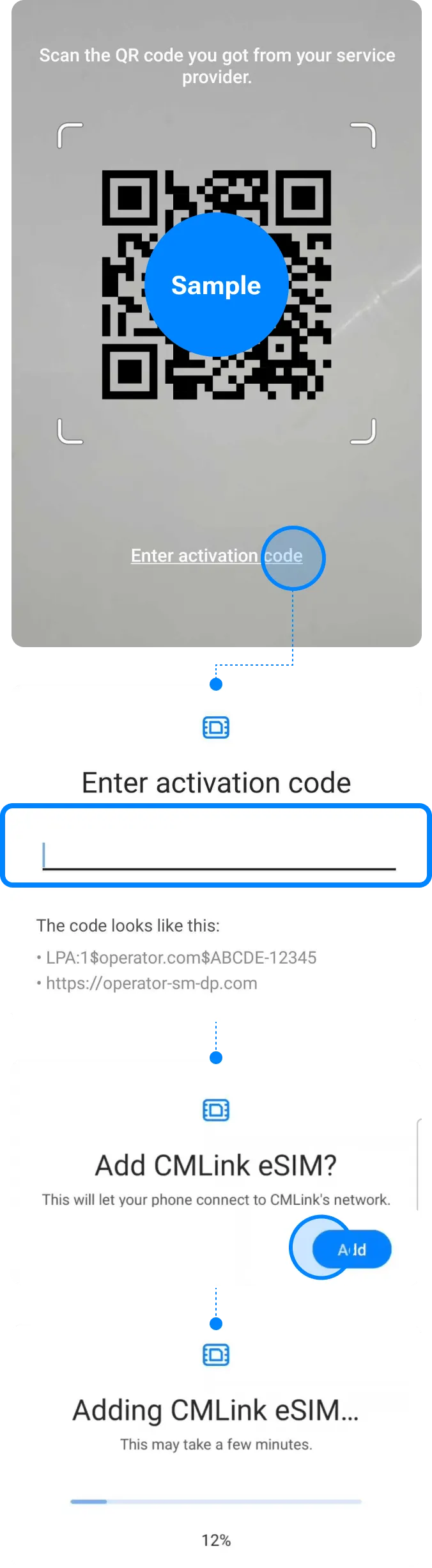
Install eSIM via QR code or manual installation and wait for completion.
Either scan the QR code or manually put your eSIM details. You can find your eSIM details in the email.
! Be connected to a strong WiFi to activate an eSIM successfully.
04
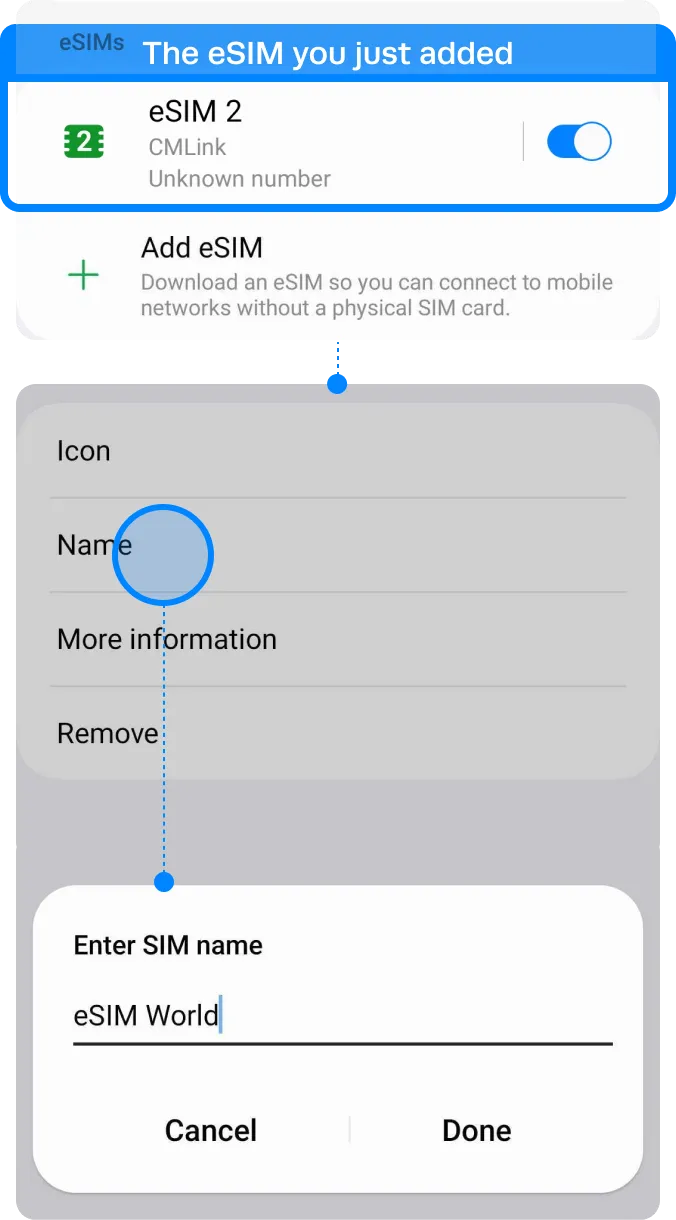
Label your eSIM.
After the successful installation, you can label it for more convenient management.
Go to Settings
| ▸ | Select [Connections] |
| ▸ | Tap [SIM manager] |
| ▸ | Choose the eSIM you just added Tap [Name] and Type on new label of your own, e.g. {Destination} – eSIM World. |
Installation Completed
The installation steps are done!
You are almost ready to use the data.
How to check if your eSIM is activated
You can confirm your eSIM is activated by checking these two things:
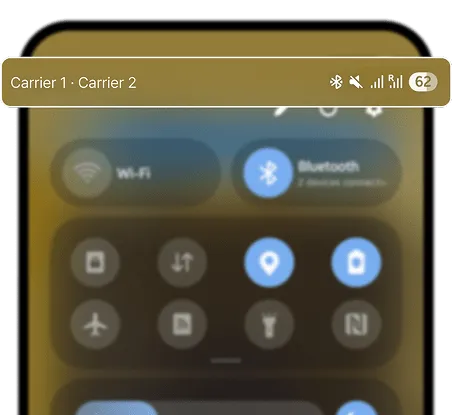
- Signal and network: If activated, your device will show 2 signal bars and the carrier name in the status bar.
- eSIM settings: In your device settings, you should see an active eSIM profile listed.
How to checkif your eSIM is activated
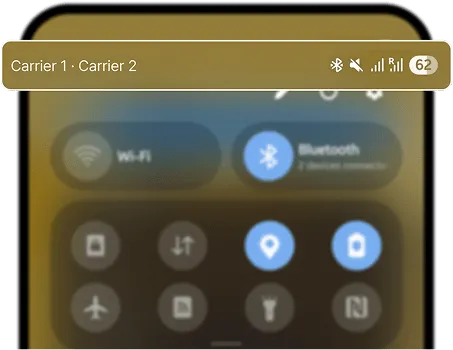
You can confirm your eSIM is activated by checking these two things:
- Signal and network: If activated, your device will show 2 signal bars and the carrier name in the status bar.
- eSIM settings: In your device settings, you should see an active eSIM profile listed.
How to Access Data
These steps may differ depending on your device and language.
01
Turn on the eSIM.
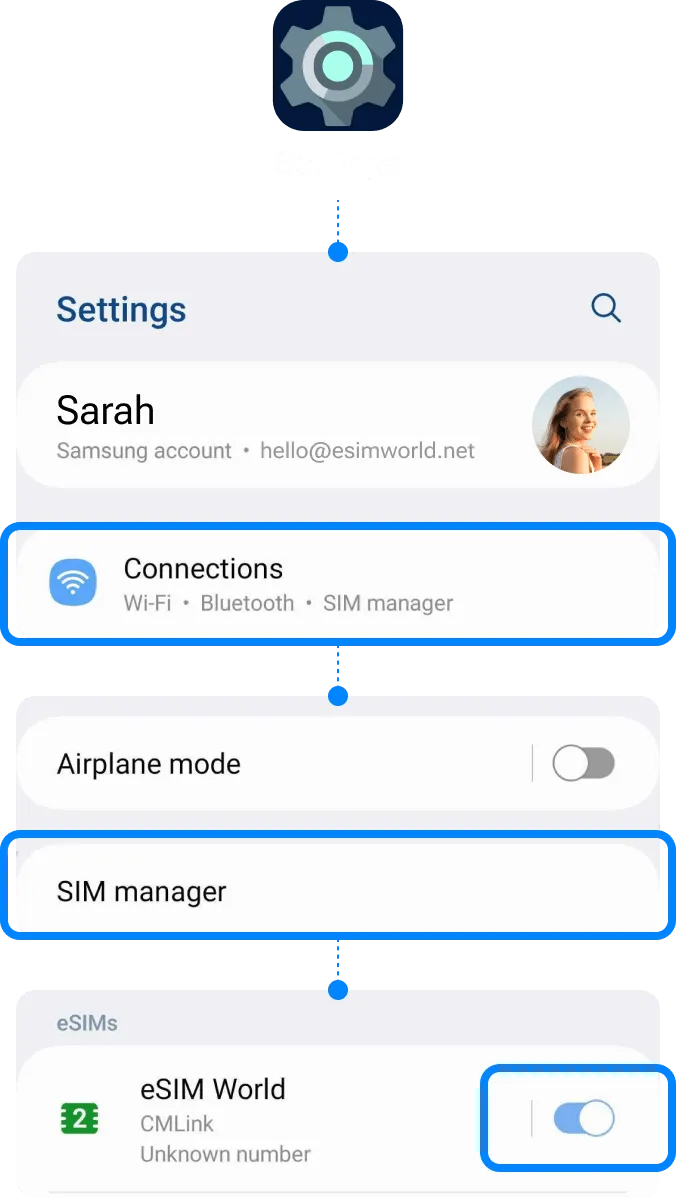
Go to Settings
| ▸ | Select [Connections] |
| ▸ | Tap [SIM manager] |
| ▸ | Toggle on your eSIM |
02
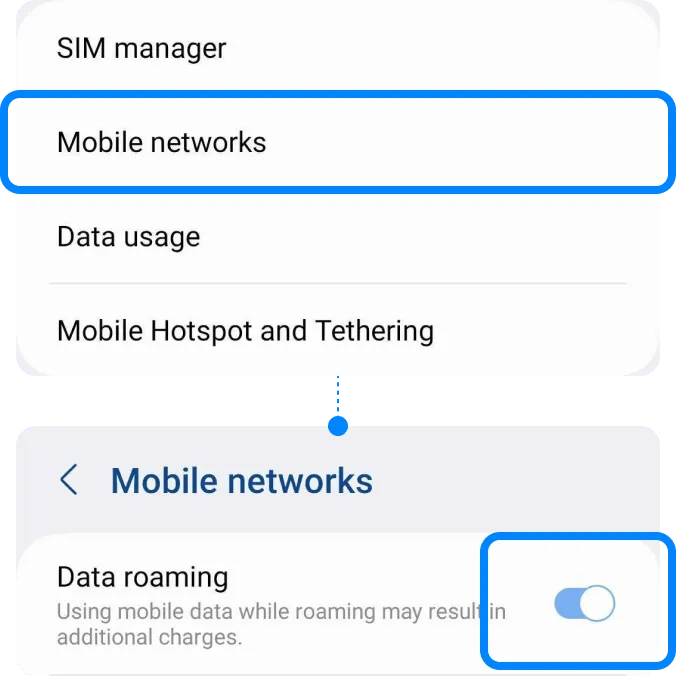
Turn on [Data Roaming] only for your eSIM.
Go to Settings
| ▸ | Select [Connections] |
| ▸ | Tap [Mobile networks] |
| ▸ | Toggle on your ‘Data roaming’ |
03
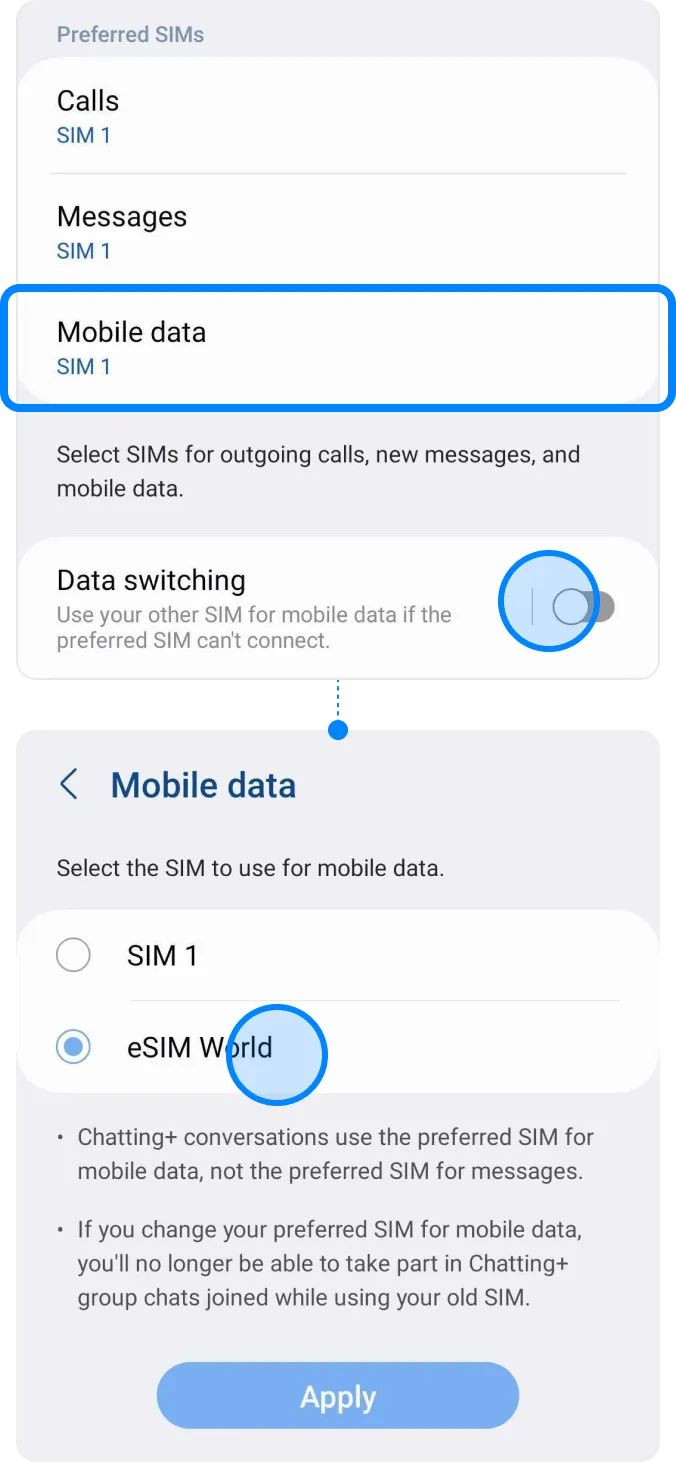
Select your eSIM on [Mobile data].
Go to Settings
| ▸ | Select [Connections] |
| ▸ | Tap [SIM manager] |
| ▸ | Tap [Mobile data] |
| ▸ | Select your eSIM |
Troubleshooting
Still can’t access internet
If you installed the eSIM well, but cannot access the internet, please try the troubleshooting below. Also, please DO NOT remove the eSIM, since in most cases, our eSIM cannot be reinstalled or regenerated.
01
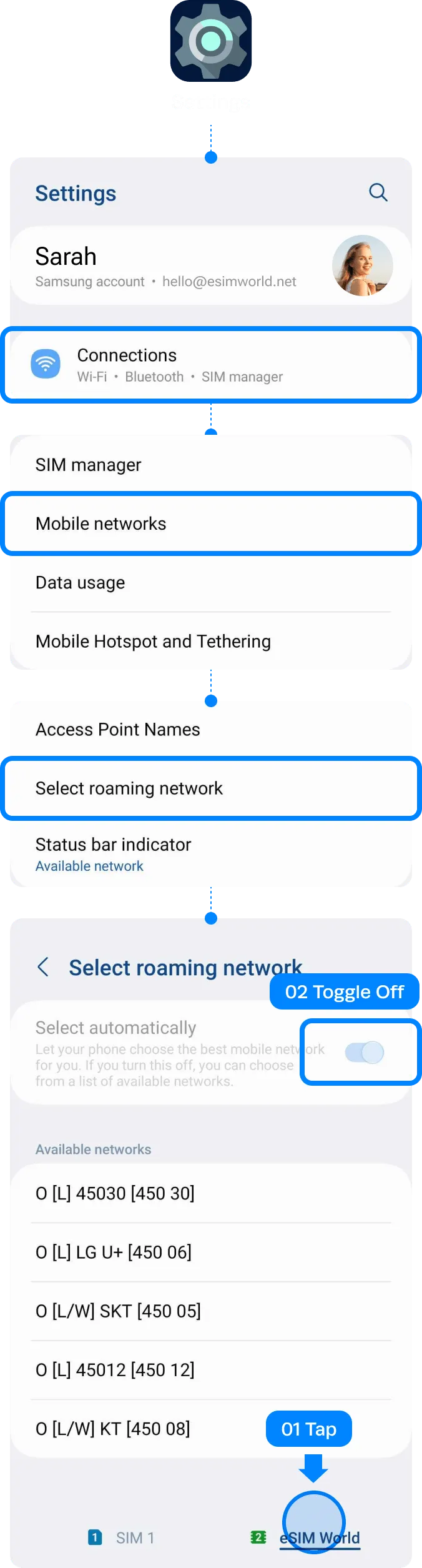
Manually perform Network Selection.
Go to Settings
| ▸ | Select [Connections] |
| ▸ | Tap [Mobile networks] |
| ▸ | Tap [Select roaming network] Tap on your eSIM in the bottom tab, and toggle off ‘Select automatically’. |
02
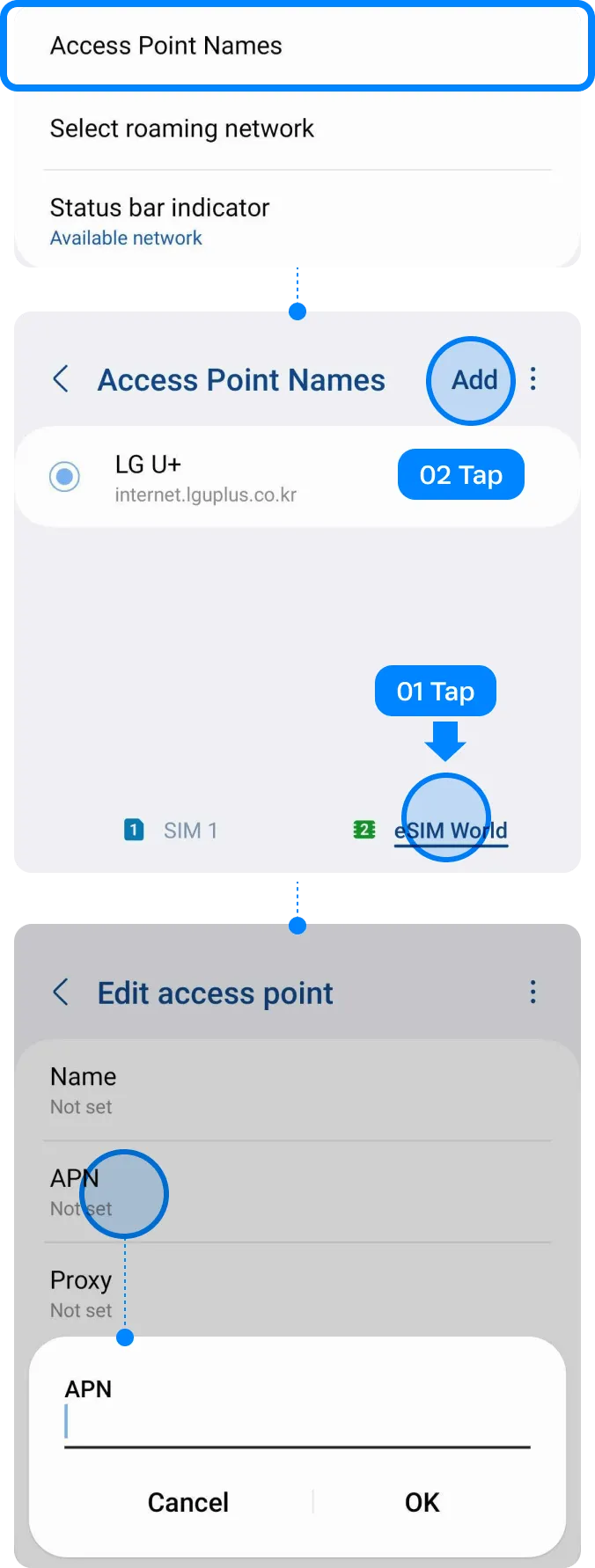
Set up APN manually if you have access.
Go to Settings
| ▸ | Select [Connections] |
| ▸ | Tap [Mobile networks] |
| ▸ | Choose [Access Point Names] Try clicking on [Advanced] if it’s not visible. Tap on your eSIM in the bottom tab. |
| ▸ | Tap [Add] |
| ▸ | Tap [APN] Type the APN information and save. |
| ▸ | Select the APN you just created |
| ▸ | Restart the device |
How to select local phone number
If you have trouble using the local phone number, and cannot make a call or send an SMS, please follow the steps below.
Important! This instruction is only applicable to the eSIM plans which include local phone number and Calls feature.
Select your eSIM on [Calls] & [Messages].
Go to Settings
| ▸ | Select [Connections] |
| ▸ | Tap [SIM manager] |
| ▸ | Tap [Calls] Select your eSIM. |
| ▸ | Tap [Messages] Select your eSIM. |
Before using eSIM
* The following steps only apply to visitors to Hong Kong and Taiwan.
To successfully use eSIM in Hong Kong & Taiwan, a real-name registration is mandatory. Make sure that you complete the registration before arriving in Hong Kong & Taiwan.
Review the directions,
then click the button to start registration.
Destination
Select the destination for real-name
registration.

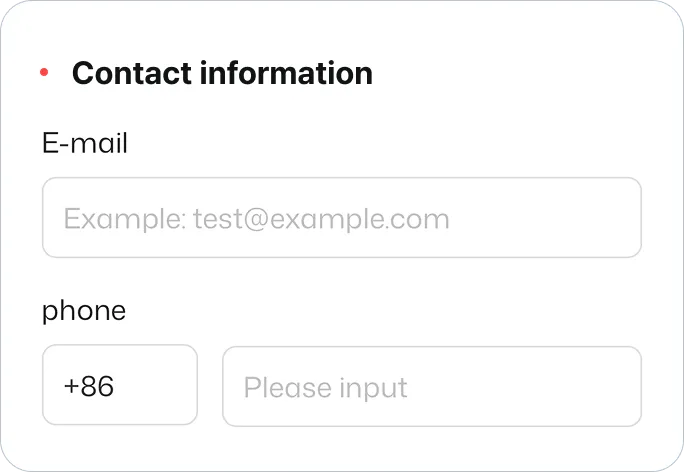
Contact information
Provide your personal email address or
phone number.
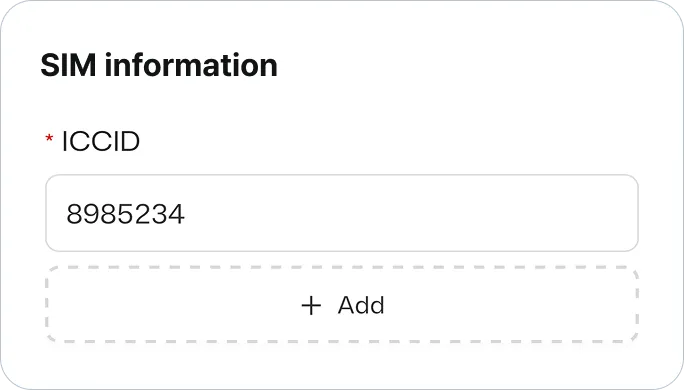
ICCID
Put ICCID of the eSIM for your destination, Taiwan or Hong Kong.
Find ICCID in the email with the QR code.
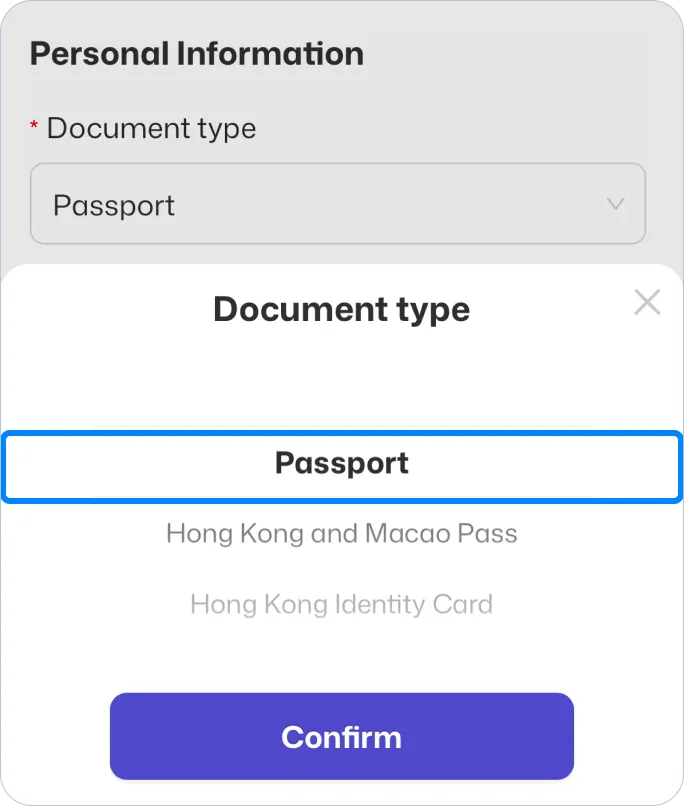
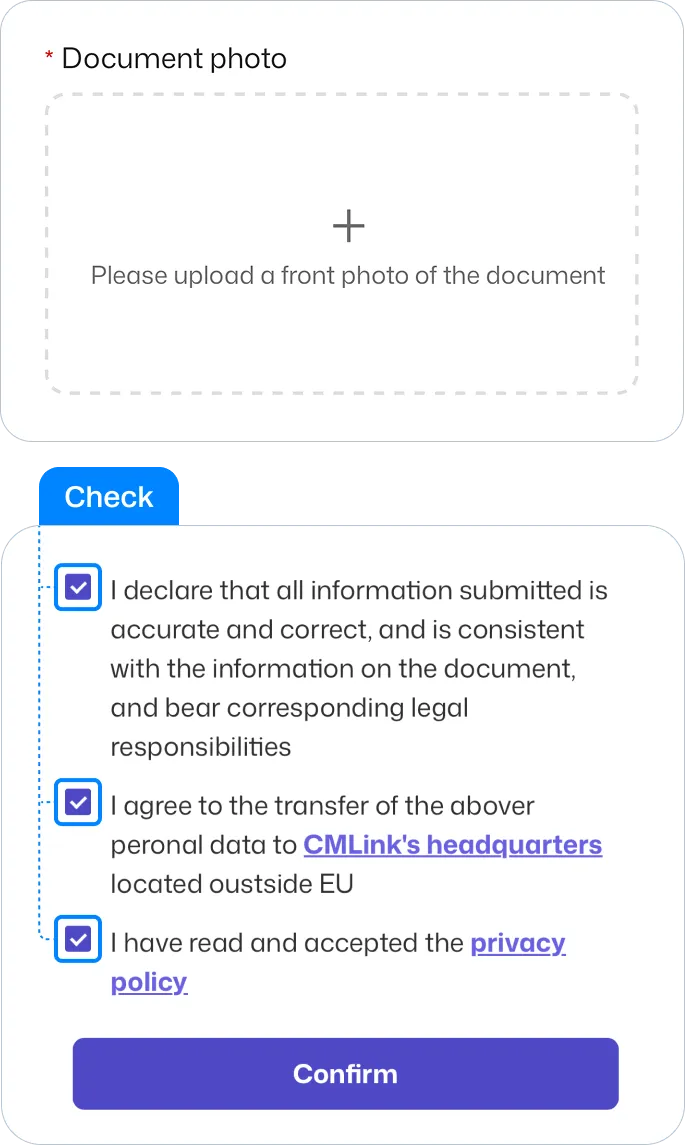
Document Image
Upload picture of your passport. Check the box and click confirm.